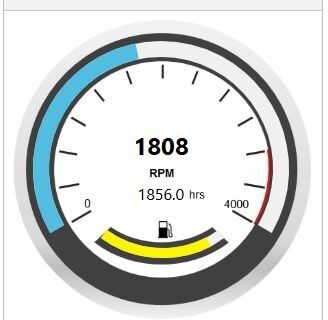
📊 Machine Monitoring Dashboard Gauges | Senquip
Machine monitoring dashboard gauges for real-time data. Ideal for pumps, generators, and industrial equipment remote monitoring.

Machine monitoring dashboard gauges for real-time data. Ideal for pumps, generators, and industrial equipment remote monitoring.

Telemetry hardware for extreme environments, proven from 82°C heat to –26°C cold in real remote monitoring deployments.

💥2026 Sneak Peak💥 2026 is shaping up to be one of our most exciting years, with new products and major updates arriving across the range. The highlight is a new OEM-focused device, internally known as the UNI. Designed for volume installations, it delivers the core connectivity and capability Senquip is known for in a compact …

Machine monitoring dashboards improved with mobile-friendly updates, enhancing usability for remote monitoring systems in real-world conditions.
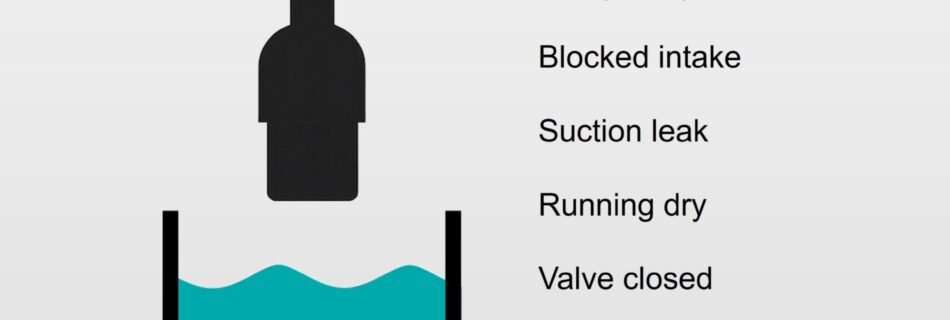
A single level sensor can detect various issues beyond just fluid levels, including pump malfunctions, blocked intakes, and valve problems. By using simple scripts, it can also identify sensor faults, leaks, and unusual usage patterns, demonstrating that innovative solutions can provide comprehensive insights efficiently.

Telemetry for mining equipment reduces downtime, risk, and lost shifts—making remote monitoring essential for reliable site operations.
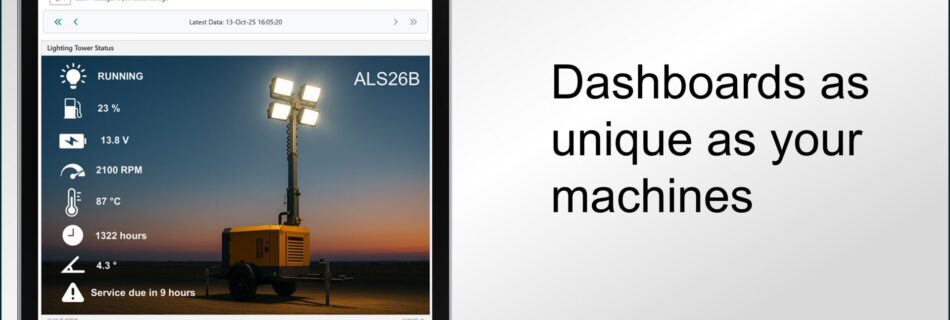
Custom machine monitoring dashboards let you visualise data your way, improving clarity and usability for remote monitoring systems.
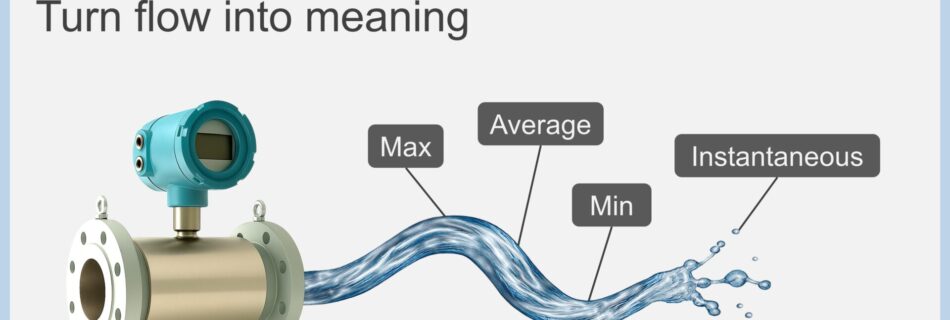
Machine monitoring metrics turn raw data into insight, helping interpret trends, totals, and changes in remote monitoring systems.
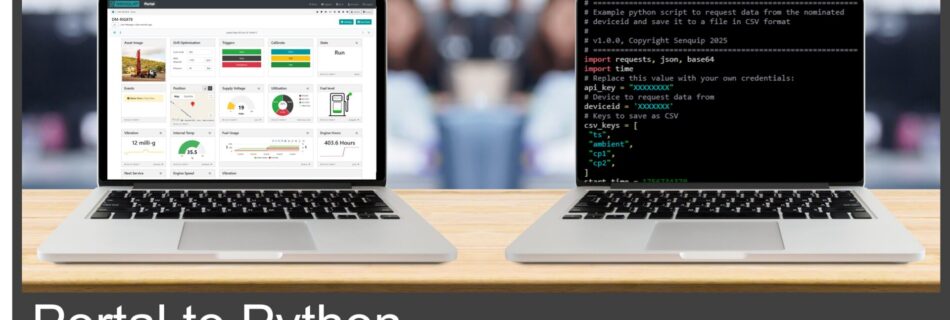
Telemetry API integration made easy with Senquip. Access device data via Python and export to JSON or CSV for analytics and dashboards.
💥Bulk Updates💥 Managing large fleets just got easier. With the Senquip Vision Dashboard, you can now update multiple devices at once, saving time and reducing errors. Bulk Features Available Today: 💥Change individual settings across multiple devices 💥Update firmware 💥Import complete configurations, including page layouts and scripts 💥Adjust alert options for multiple devices 💥Upload CSV and …

To prepare for the launch of our new Senquip Vision Dashboard, Senquip will be performing scheduled server maintenance starting at 07:00 AEST on Sunday 29 June. 🔧 The Portal will be temporarily unavailable for several hours during this time.📦 All device data will continue to be collected.✅ Services will resume as soon as the update …

As the Australian financial year ends, we’re proud to share the countries we’ve supplied to in the past 12 months. Each flag in this collage represents a customer using Senquip for smarter monitoring—and it wouldn’t be possible without the support of our incredible distribution partners. Thank you!

As user scripts for Senquip devices grow more complex, we’re continuously enhancing our tools to make development easier and more efficient. 🔍 Did you know you can send real-time debug data to your local PC while your script runs on a Senquip device? 🧠 Whether you’re tuning sensor logic or troubleshooting serial messages, debugging over …

Senquip is known for monitoring diesel equipment—but much of our work happens in industrial automation. Our devices monitor and control level, pressure, flow, and temperature across factories, treatment plants, and remote sites. With built-in support for 4–20mA, Modbus, and more, we make it easy to connect to any sensor and get data where you need …
💥Senquip Vision LIVE💥 The Senquip Portal is a secure, cloud-based platform designed to provide powerful management and visualisation tools for your Senquip devices. In a major update, Senquip is pleased to announce the introduction of Senquip Vision, a powerful, customisable dashboard that enables businesses to monitor and analyse key operational metrics across groups of devices. Designed for …

🛢️ Simple, Smart Oil Monitoring with Senquip + TE OPS3 🛠️ We’ve recently integrated the TE Connectivity OPS3 oil quality sensor with a Senquip ORB, creating a low-cost, real-time oil monitoring solution. The OPS3 provides viscosity, dielectric constant, resistivity, density, and temperature in one rugged sensor with J1939 CAN output—making it a perfect plug-and-play companion …

RS-485 is known for its ruggedness and reliability, but there’s one invisible problem that can silently destroy your devices—Common Mode Voltage (CMV). 🔍 What is Common Mode Voltage?CMV is the voltage difference between the ground of two connected devices. In an ideal world, all grounds would be at exactly 0V relative to each other. But …
Read more “💥The Silent Killer of RS-485 Networks: Common Mode Voltage.”

Senquip has collaborated with Kjaerulf Pedersen a/s to offer remote vibration monitoring via low bandwidth connections. The KPV200 sensor captures vibrations up to 1600Hz, enabling effective equipment health monitoring. Recent firmware updates allow communication with KPV200, enhancing the Senquip Portal for monitoring applications in various industries.

Senquip devices that power external sensors can also actively monitor the supply voltage and current? 💡 If the supply voltage starts to drop, it may indicate that the supply is overloaded. 💡 A drop in current could point to a failing connection. 💡 A sudden current increase could indicate a short circuit. By simultaneously supplying …

Senquip is pleased to announce the availability of an updated API. The Senquip Cloud API allows you to seamlessly integrate with the Senquip platform, providing real-time access to asset data and to streamline the management of multiple devices from a central platform. Whether you need to track performance, manage diagnostics, or leverage advanced analytics, this …

From 10s to 100s to 1000s – Senquip continues to scale! Exciting times as we ramp up production to meet growing demand. Grateful to our team and partners for making this possible. 🚀

Meet Sugih & Bene, Co-Founders of AssetFindr, our distributor in Indonesia. While much of our work in Australia is with diesel machines, AssetFindr is building a reputation for monitoring all kinds of systems. This week, their team interfaced a Senquip QUAD with a three-phase compressor in a workshop in Jakarta. The compressor is a critical …

Senquip QUAD devices now have an integrated moisture detector. This feature, upon activation, dispatches a diagnostic message, ensuring proactive identification of any moisture-related issues. The placement of the moisture detector along the edge of the PCB, in proximity to the cable tray, strategically positions it as the first element affected by water ingress when the …